
Skip to Content
APPS / Tools/Authentication / Microsoft 365 OAuth Login v 19.0
Microsoft 365 OAuth Login
App Icon

Microsoft 365 OAuth Login

by Gradiant Infotech (5.0)
Free
v 19.0 Verified Module 125
Versions
You bought this module and need support? Click here!

Microsoft 365 OAuth Login

Login & Sign up in Odoo with Microsoft 365 (Azure AD) OAuth2

Microsoft 365 OAuth Login Module
Gradiant Infotech Logo MICROSOFT_365_OAUTH_LOGIN
Edition Support: Community Enterprise
Deployment: On-Premise Cloud Hosted
SINGLE SIGN-ON AUTHENTICATION

Microsoft 365 OAuth Login

Empower your organization with seamless, passwordless single sign-on! Authenticate users effortlessly via Azure AD / Microsoft 365 OAuth2, fetch profiles using Microsoft Graph API, and automatically provision or link existing user accounts.

Microsoft 365 OAuth Login Animation

Key Features & Capabilities

Engineered for seamless Microsoft 365 SSO, security compliance, and effortless configuration.

One-Click SSO

Presents a styled "Continue with Microsoft" SSO button directly on backend and portal login forms.

OAuth2 Security Flow

Uses standard OAuth2 Authorization Code flow with Microsoft Graph API for maximum enterprise-grade security.

Auto Email Matching

Automatically links Microsoft accounts to existing user accounts matching their work email address.

Pre-Configured Provider

Includes a pre-built OAuth Provider setup. Simply enter your Azure Client ID & Client Secret.

Azure AD & Multi-Tenant

Supports organizational Azure AD / Entra ID tenant setups as well as multi-tenant Microsoft logins.

Modern Responsive UI

Fully responsive styling crafted to blend perfectly with modern Community and Enterprise themes.

AZURE & SYSTEM SETUP

How Microsoft SSO Works

1

Azure App Registration

Register a Web App in Microsoft Entra ID / Azure Portal and copy your Client ID & Secret Value.

2

Set Redirect URI

Configure your system OAuth sign-in redirect callback URL in the Azure Portal.

3

Enable Provider in System

Go to Settings > OAuth Providers, enter Client ID and Secret, and toggle Allowed.

4

One-Click User Authentication

Users click Continue with Microsoft and get logged in instantly.

Microsoft Login Screen

Authentic Module Screenshots

Step-by-step screenshots from Azure portal configuration to active login.

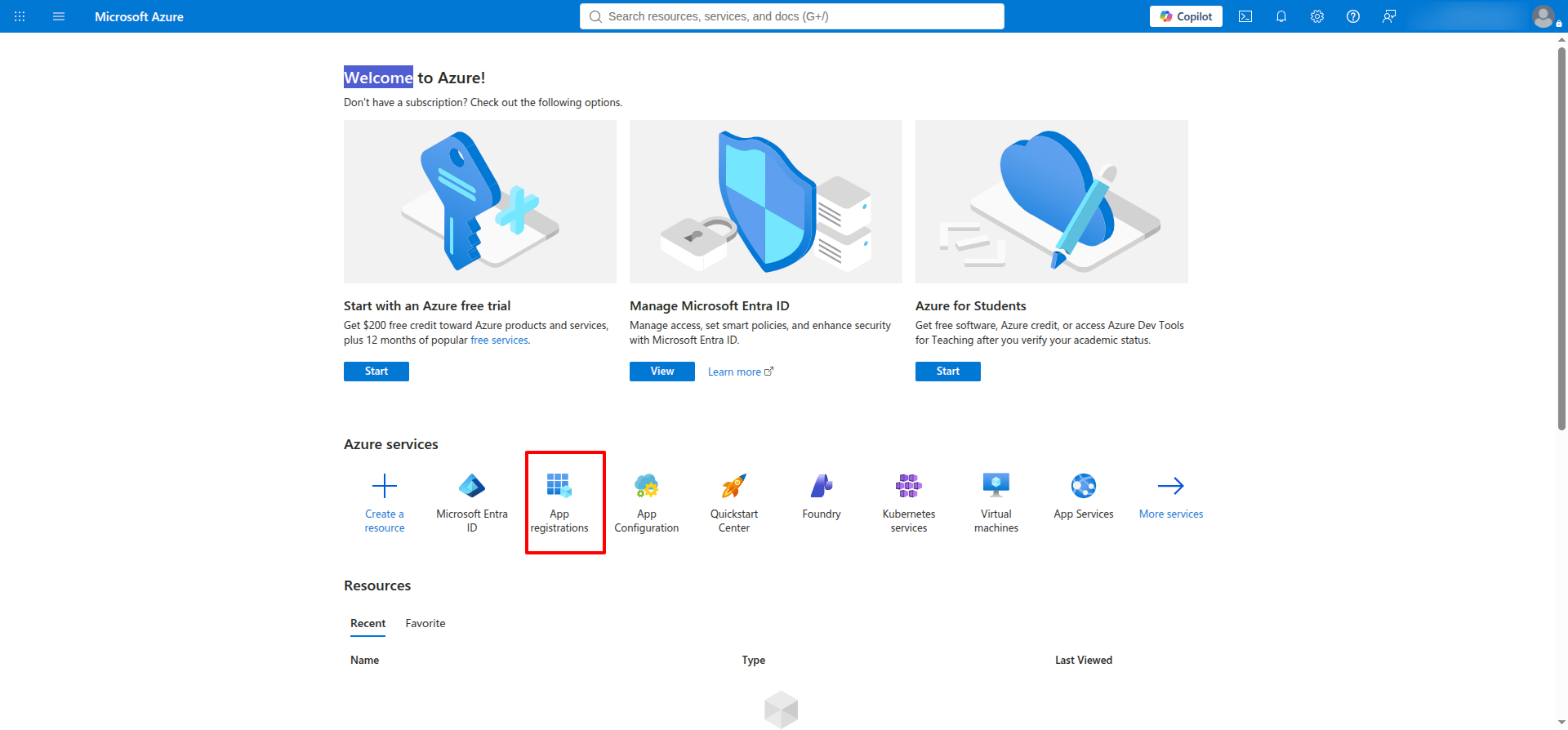
1. Access Azure Portal App Registrations

Navigate to the Microsoft Azure portal homepage and select App registrations under Azure services.

Azure Portal Home

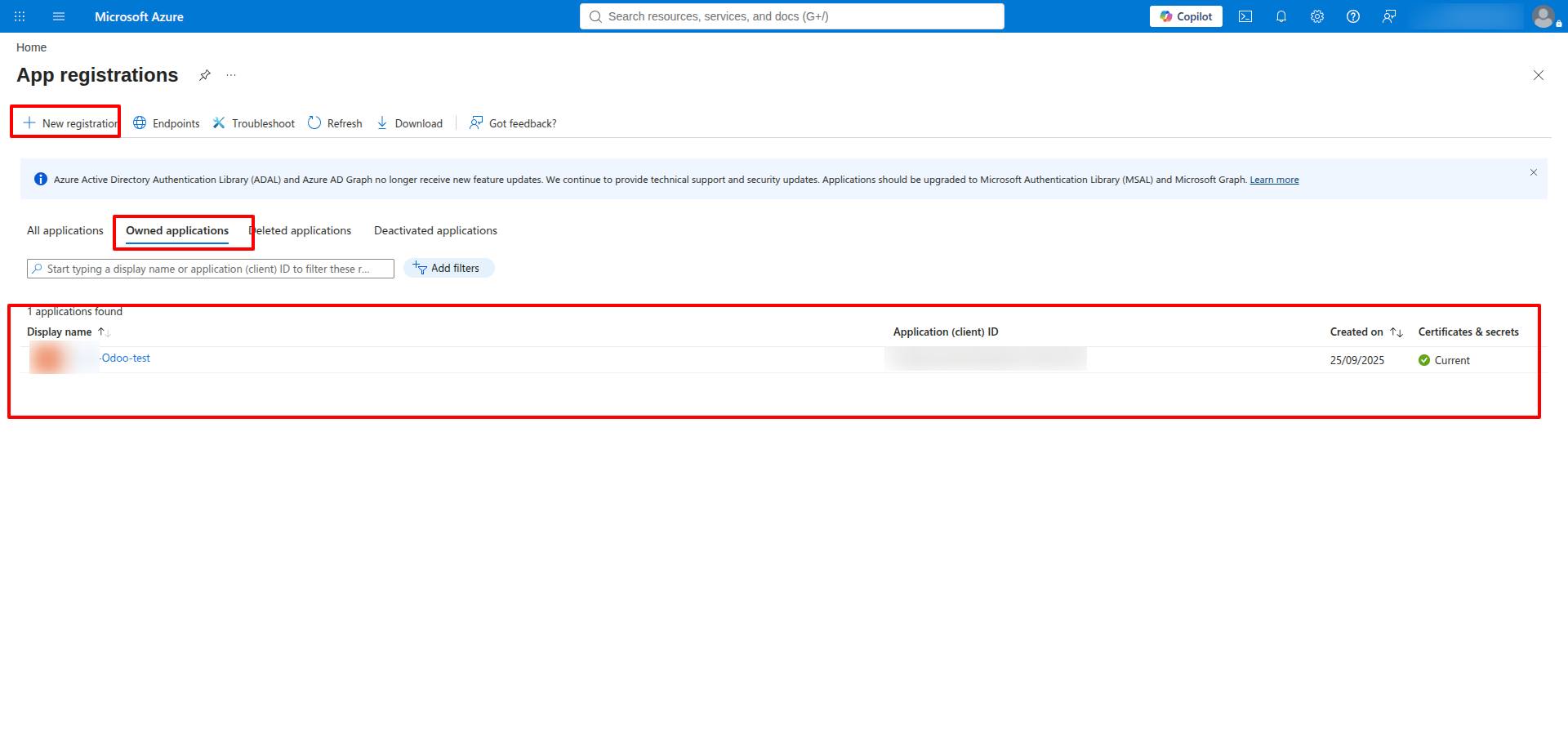
2. Register New Application

Click + New registration to create a dedicated Azure AD client application for SSO.

New App Registration

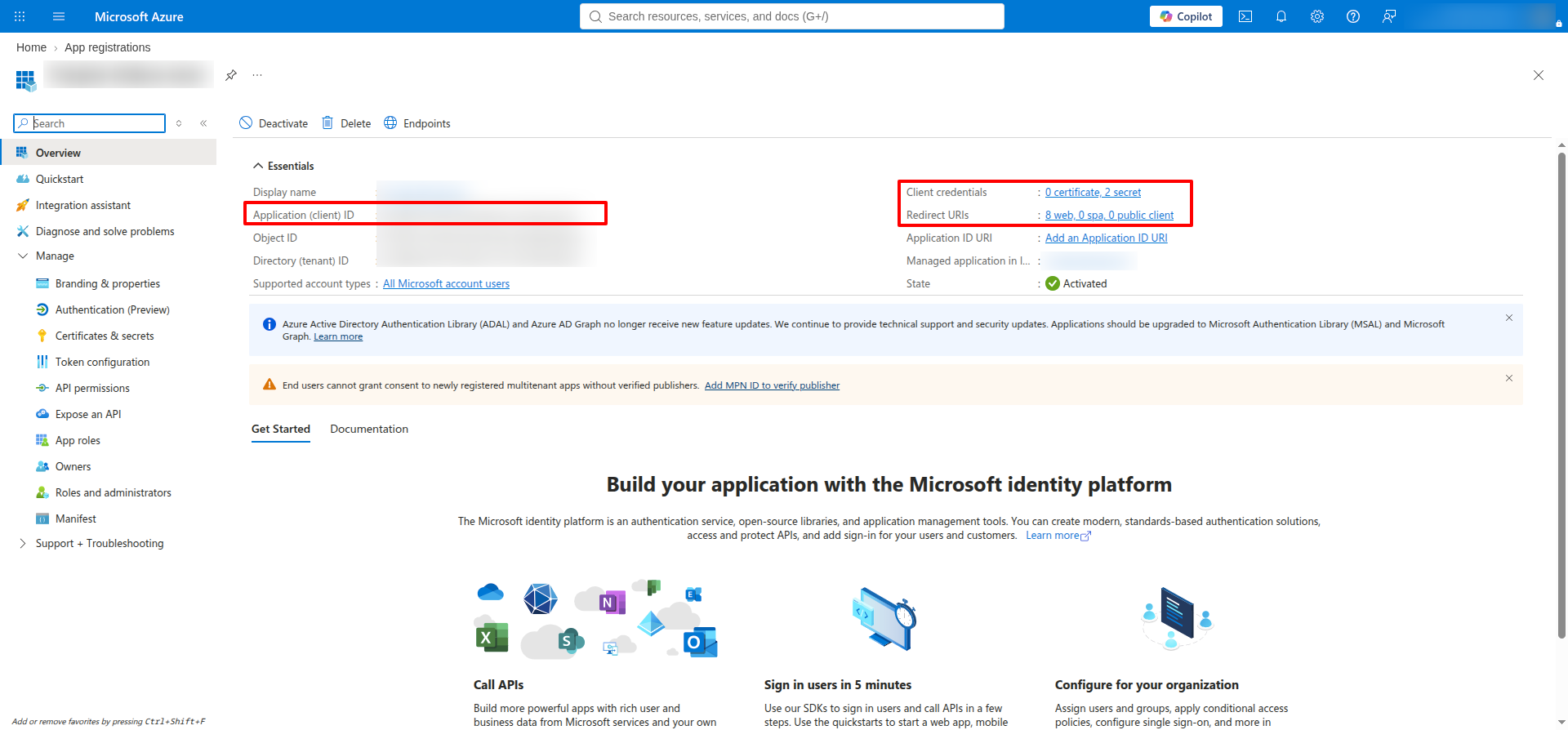
3. App Overview & Client ID

View your registered application details and copy the generated Application (client) ID.

Application Client ID Overview

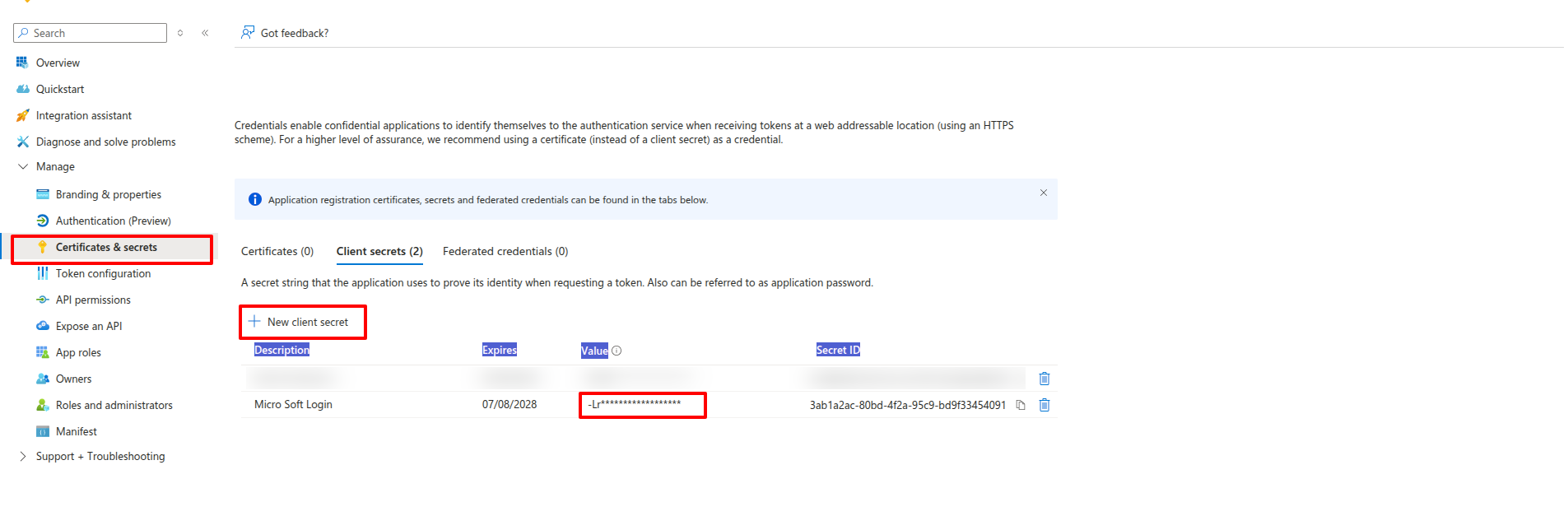
4. Certificates & Client Secrets

Generate a new secret under Certificates & secrets and copy the generated client secret Value.

Certificates and Client Secret

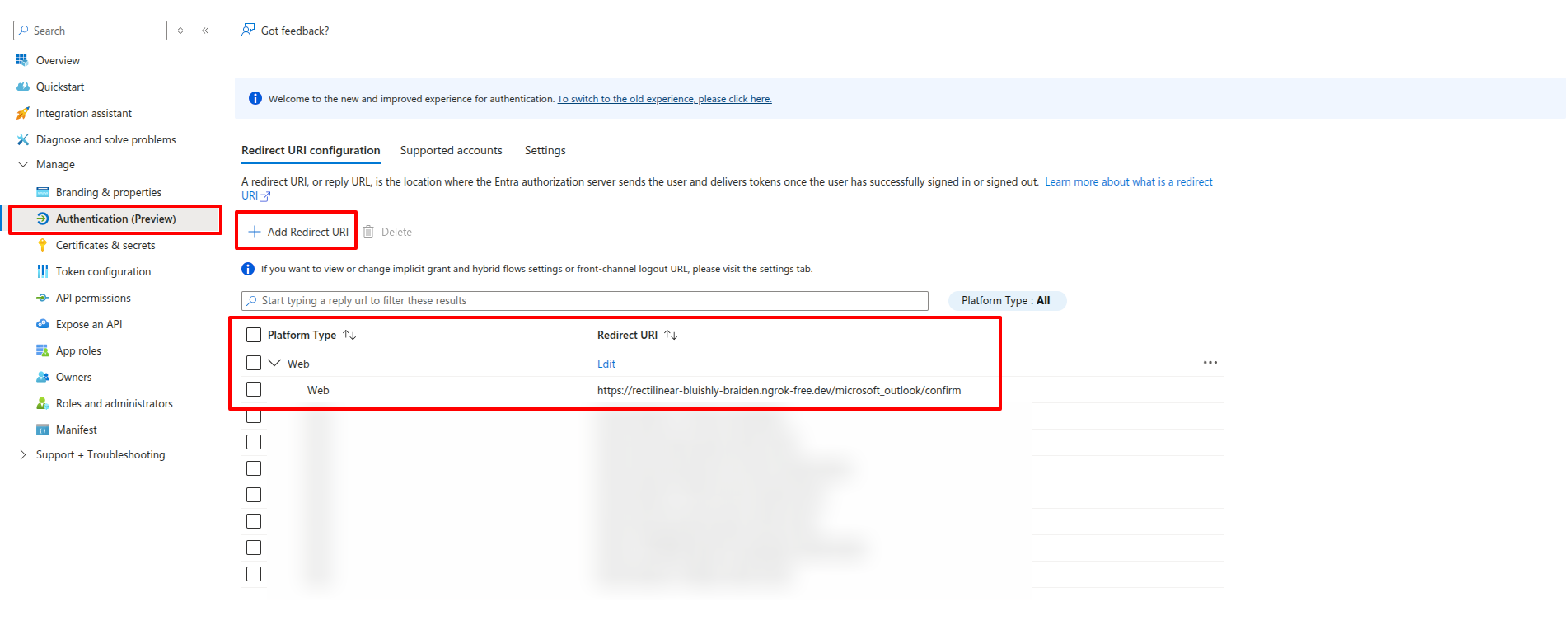
5. Authentication & Redirect URIs

Add a Web Platform configuration and set your OAuth callback redirect URL.

Authentication and Redirect URIs

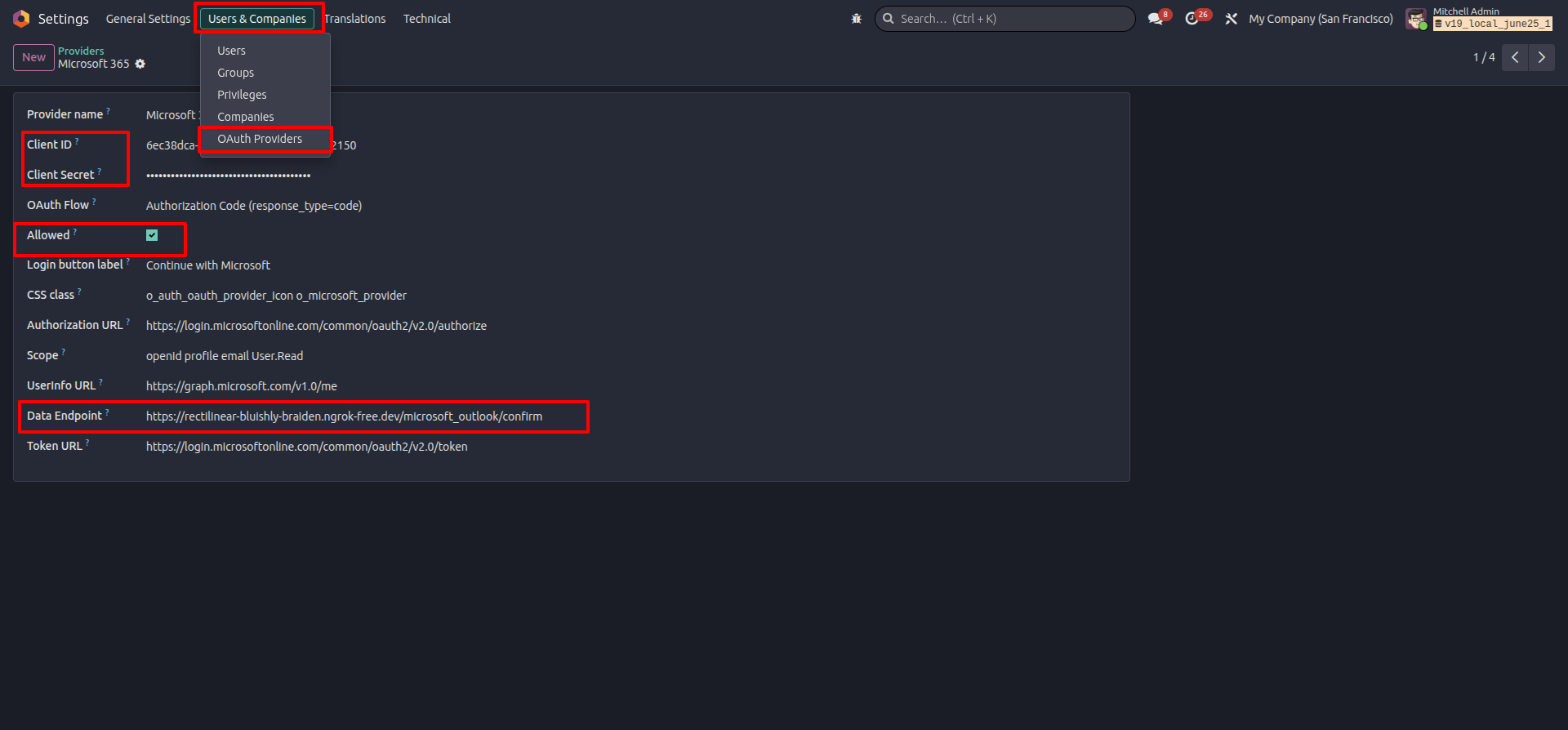
6. Configure OAuth Provider

Go to Settings > Users & Companies > OAuth Providers, paste Client ID & Secret, and set Allowed.

OAuth Provider Config

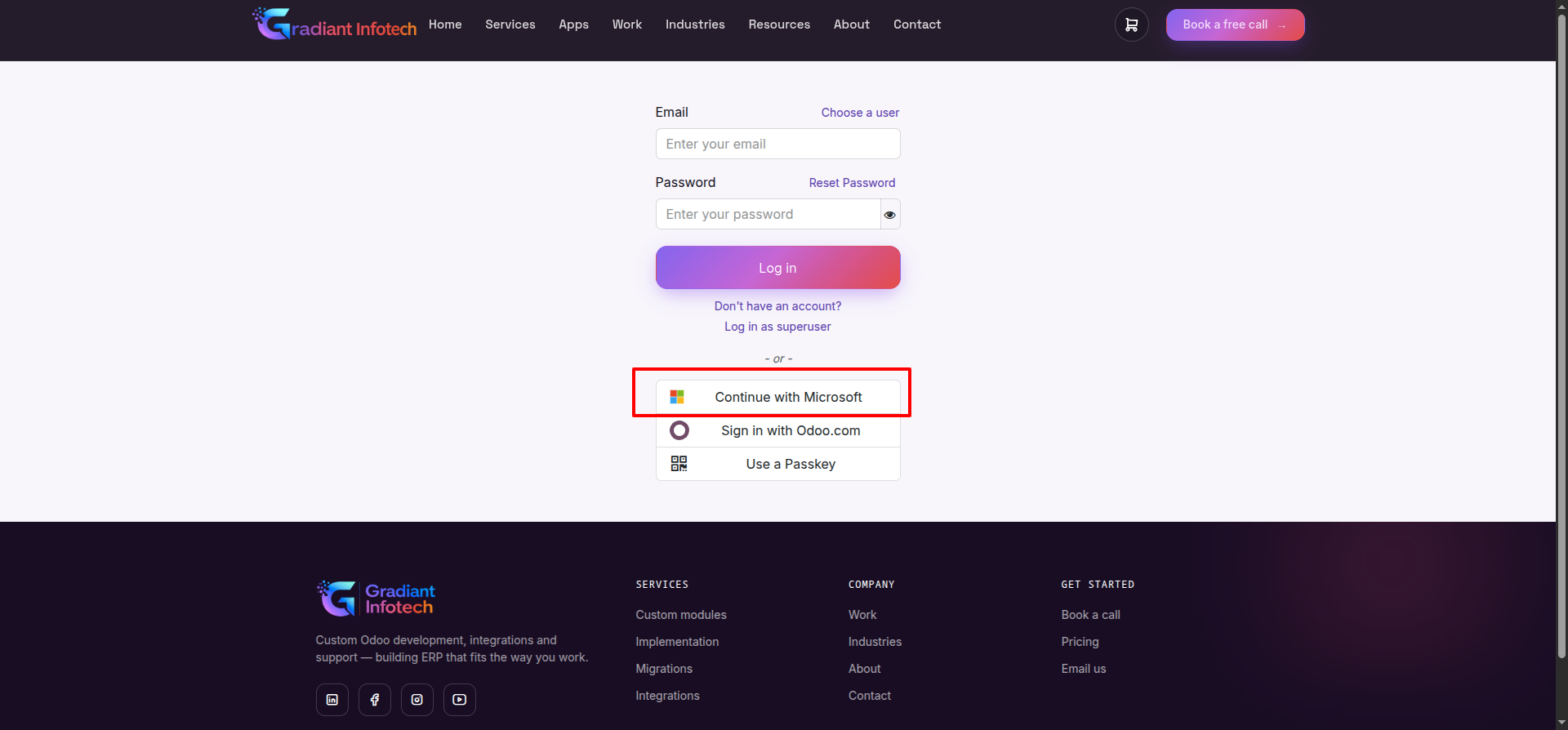
7. Login Screen with Microsoft SSO

The login interface displays the styled "Continue with Microsoft" button.

Login Page

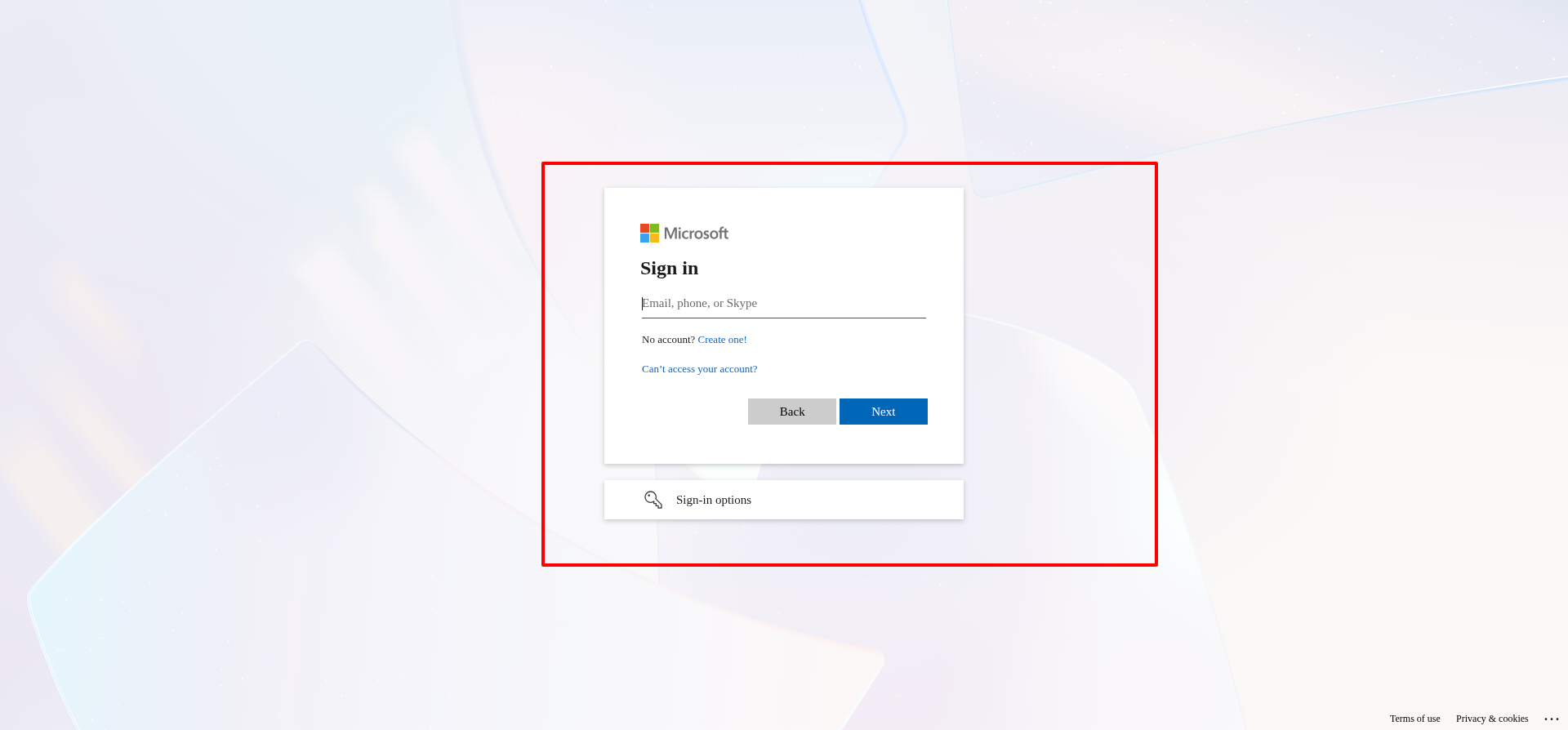
8. Microsoft Account Sign In

Users are redirected securely to Microsoft 365 login screen to enter their work or school credentials.

Microsoft 365 Login Screen

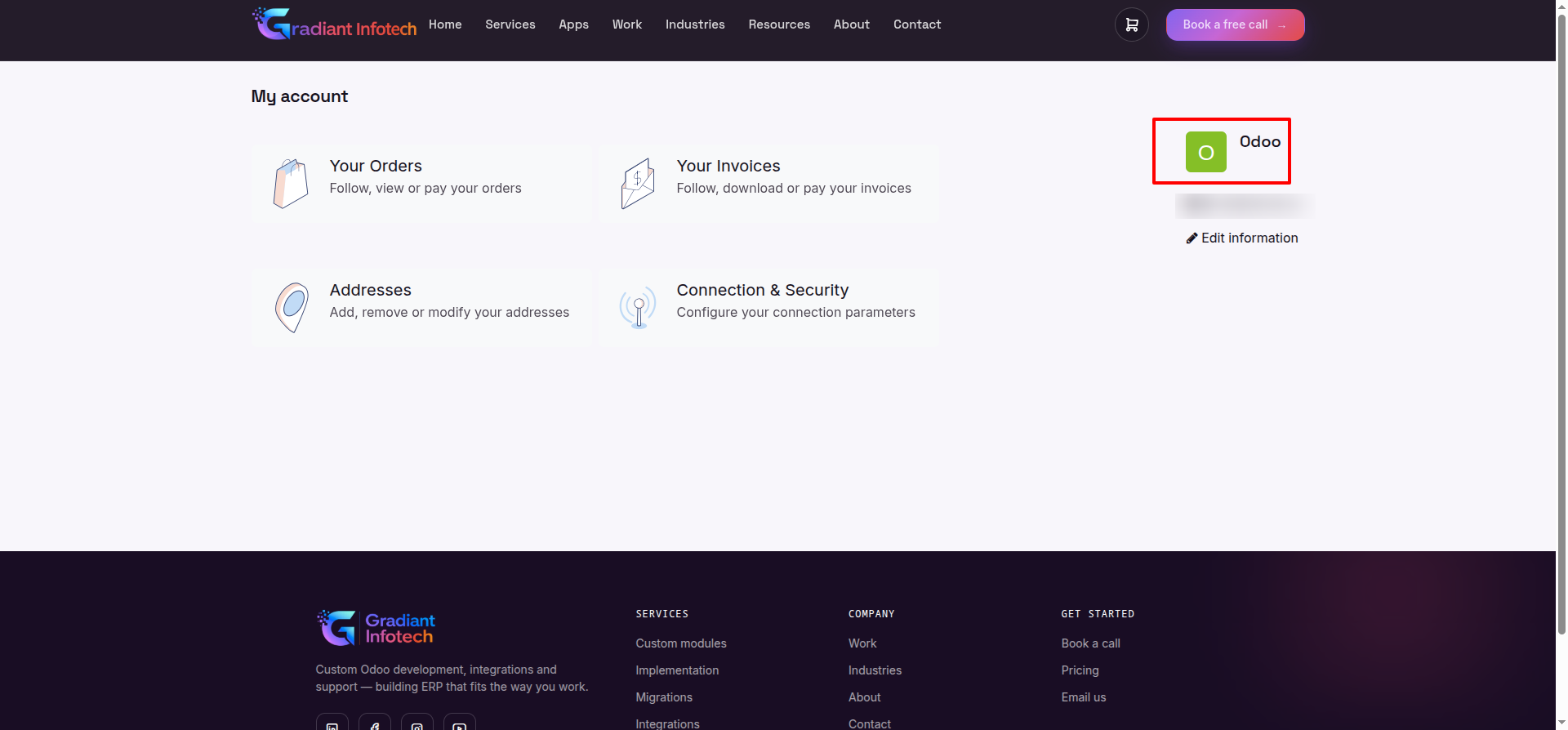
9. Successful Login into User Portal / My Account

Upon authentication, the user is automatically logged in with profile synchronization.

User Portal

Enterprise Support & Customization

Need custom OAuth configurations, multi-tenant setup guidance, or technical assistance for your deployment?


Developed & Maintained by Gradiant Infotech

© 2026 Gradiant Infotech. All Rights Reserved.

Module Manifest Details
Technical Name microsoft_365_oauth_login
Author Gradiant Infotech
Website https://gradiantinfotech.com
Support Email support.gradiant@gmail.com
Category Tools/Authentication
License Information

This module is distributed under the OPL-1 (Odoo Proprietary License v1.0) license or standard LGPL-3 depending on version configuration.

License: OPL-1 / LGPL-3
Copyright (C) Gradiant Infotech. All Rights Reserved.